 momo
momoTech Specs
Everything inside Momo, in one place.
Price
€10
- One-time purchase for one person. No subscription.
- Reroll key: €10 for a new look and personality. Memory and friends stay.
Compatibility
- macOS 14 or later
- Apple silicon and Intel
- Talking and AI tasks need a Claude Code or Codex login on your Mac
Animation
- Native Core Animation on the GPU, 60 fps
- About 3% CPU while idle on the desktop
- Gaze rig fitted to 169 key poses
- Four kinds of blink with natural timing
- Idle life: float, pupil hops, head tilts, leans and squeezes
- Tricks: hop, stretch, sneeze, double take, spin, dance, peekaboo and more
Looks
123,200
- 11 pupil shapes, 100 colorways in four tiers, 8 eye outlines, 7 bodies, and glitter
- Six rarities, from common (38.5% of hatches) to legendary (5.7%); every shiny body is mythic
- 1 hatch in 100 has a shiny body; 1 in 33 has glitter eyes
- Odds from 1 in 810 to 1 in 9.6 billion
- Open the look editor
Moods
22
 content
 happy
happy sad
sad mad
mad anxious
 dizzy
dizzy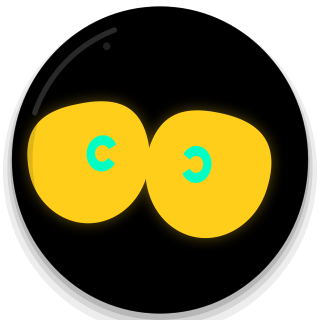 surprised
 curious
 suspicious
 in love
 shy
shy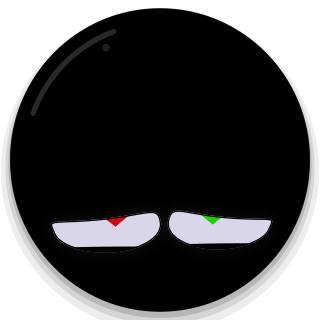 focused
 vibing
 sleepy
 asleep
 tired
tired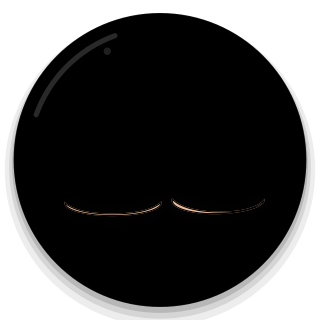 cold
cold hot
hot low battery
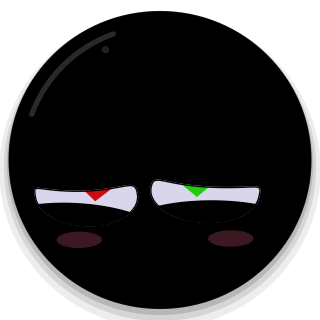 playing
 listening
 thinking
Voice
- Push to talk with ⌘ ⇧ Space
- Transcribed on your Mac with open-source whisper.cpp if you install it; otherwise Apple speech recognition
- Answers can be spoken aloud
- English and Dutch
AI tasks
- Uses your own Claude Code or Codex login. No API keys.
- Opens apps, files and sites; runs commands and AppleScript; clicks and types; reads and writes files
- Asks before sending, buying, deleting or posting
- “Let Momo act on my Mac” is off by default
- Looks at your screen only when asked
Quick tasks
- Open apps and sites, web search, volume, play, pause and next, timers, the time
- Sleep, wake up, dance, wink, battery, visit, come back, remember, forget everything
- Work instantly, without any AI login
Camera control
- Gestures: wave, thumbs up and down, peace, rock on, fist bump, OK, open palm, point
- Momo looks where you point; its eyes follow your face when the mouse rests
- Double clap to wake it up
- Off until you turn it on. Frames are processed on your Mac and never stored.
Memory
- Facts and preferences with a confidence; corrections replace old facts
- Learns from thumbs up, thumbs down and “no, that's wrong”
- Learns which behaviours you reward
- Stored in one file on your Mac. View and edit it in Studio.
Friends
- Visits Macs nearby: drag Momo off your screen edge
- Friends over the internet: wave, poke, hearts, notes and chat
- Only mutual friends can reach your Momo
Included
- Momo Companion app
- Momo Studio: looks, animation, behaviour and memory
- Your one-time hatch